
Save groups as reusable module presets
Build from starter subsystems or create your own library with internal wiring and mounts.
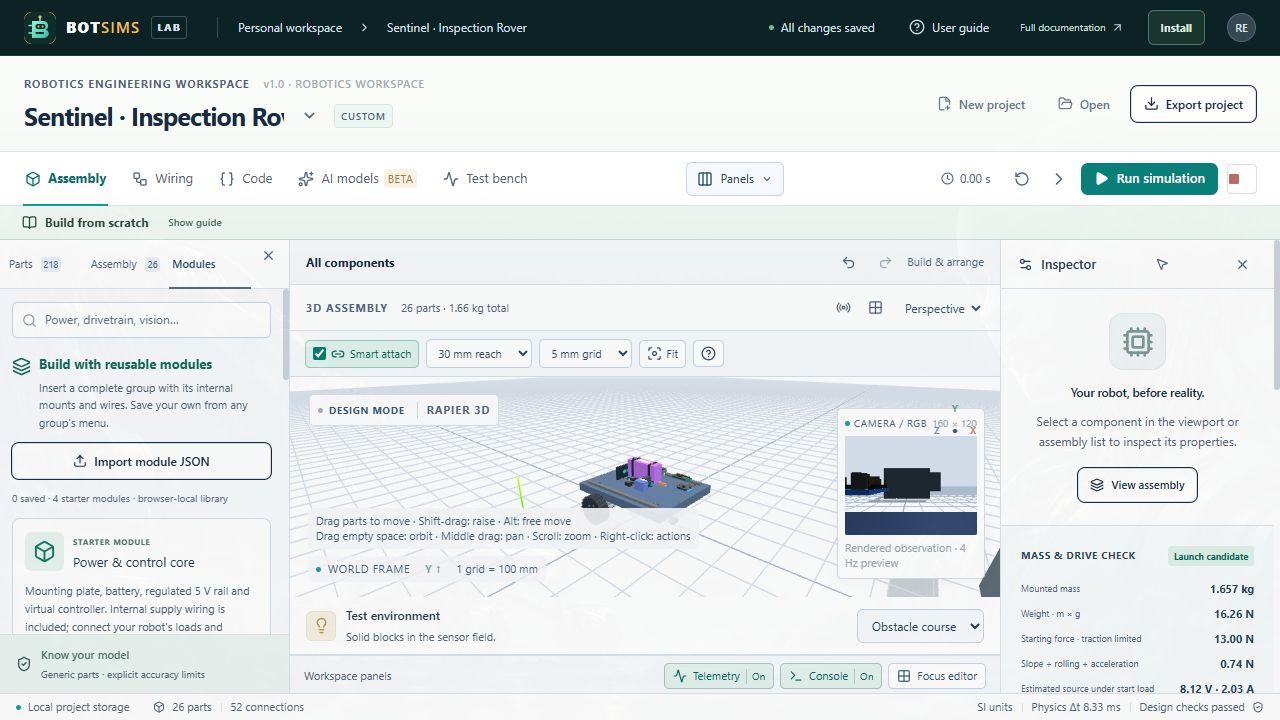
- Open Modules beside Parts and Assembly in the left sidebar. Four starter modules include a power/control core, differential-drive base, pan/tilt vision module and arm mechanism. Review their connection notes before insertion.
- Choose Add module. The app inserts fresh instances with their internal wires and mounts, adds a new group, stages it on clear ground and frames it. Your controller code, AI settings and existing project remain intact.
- Create or edit a group, then use Group options → Save as module preset. Give it a name and wiring notes. Right-click Save assembly as module captures a part and its mounted descendants instead.
- The module contains selected parts and wires wholly inside that selection. External wire endpoints are excluded and external mounts are detached. The save dialog states these limits.
- Rename a saved module or update its notes with Edit saved module. Insert it repeatedly; group instance names and all part/wire IDs stay distinct. Existing servo code needs the new inserted IDs, visible in Inspector or Copy component ID.
- Export a .robot-module.json file for backup, then use Import module JSON on another browser or device. Remove saved modules with the trash button; Undo module removal restores the last removed entry. Project Undo handles insertion or deletion of instances.
Import validates JSON without executing it. Limits are 1 MB and 1–100 parts per module, 32 saved modules and a 4 MB library guard, with the usual 200-part/64-group/1,200-wire project limits. If browser storage fails, export the session copy. Geometry-only parts remain geometry-only; insertion does not add chip firmware, gear physics, torque dynamics, grasping or walking balance.