
Replace a component model while retaining its wiring
Right-click a part, review related models and preview the exact wiring impact.
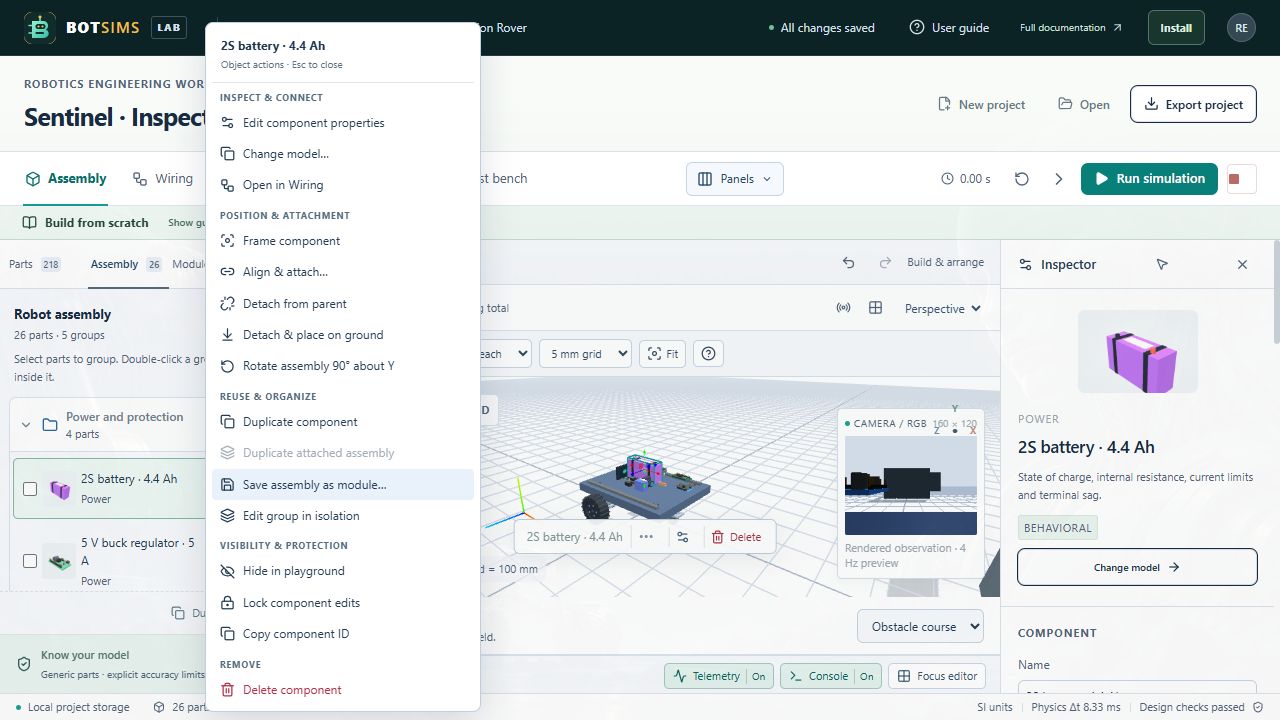
- Right-click a visible part in the 3D playground and choose Change model. You can also use Change model in its Inspector.
- Choose a related catalog model. Behavioral options appear before layout-only parts. For example, change the source to a larger-capacity 2S pack or choose another ESP32 virtual controller.
- Review the number of retained and removed wires. Exact compatible pin names are kept; unique supply and ground aliases can map automatically. Bus and GPIO lines are never guessed.
- Read the voltage/conflict diagnostics and any geometry-only or ground-fit warning. A higher battery voltage can exceed a regulator or device rating even when the wires are retained.
- Choose Replace model. The part keeps its instance ID, position, rotation, physical parent and group. Catalog ratings and mass replace the old model-specific overrides. Logical wire IDs are retained for matched pins.
- Adjust mounting or choose Ground entire assembly if a larger model extends below ground. Inspect Wiring and Test bench before running. Undo restores the original model and all wires.