
Connect your own AI provider and test a bounded action
Discover account models, use a tab-only key, inspect sensor/image inputs and apply validated goals.
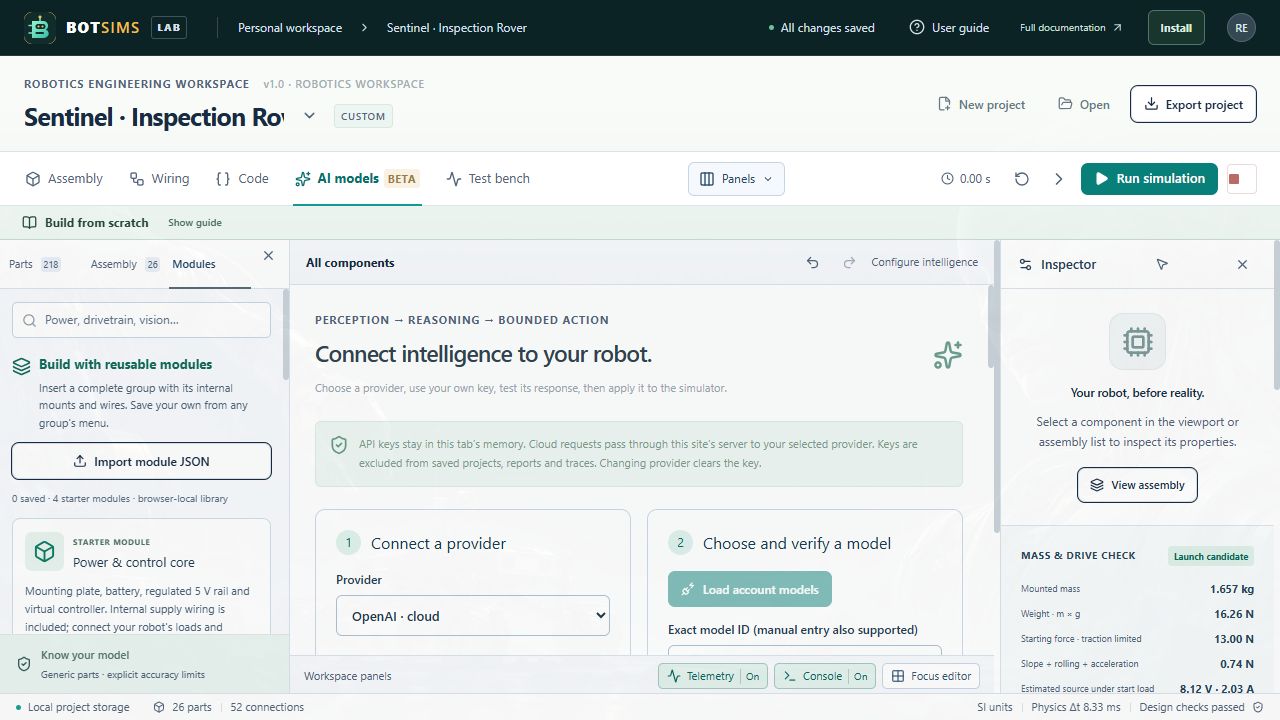
Open AI models. The four-step workbench separates provider connection, model selection, the robot objective and action testing. OpenAI, Anthropic Claude, Google Gemini, Groq, OpenRouter, Mistral, DeepSeek and xAI have dedicated cloud connectors. Local Ollama connects directly to localhost. Legacy cloud chat keeps existing allowlisted projects compatible. The offline sensor fixture works without an account or network.
- Choose a provider. For a cloud connection, enter a key issued by that provider in Your API key. The key stays in this tab memory, is cleared when switching providers, and is not stored in project exports, reports or action traces. Forget key clears it immediately. A ChatGPT subscription is separate from provider API billing.
- Choose Load account models (or Load installed models for Ollama). Search the returned models and select one, or manually enter an exact model ID available to your account. Discovery reads a bounded first page; a list entry does not prove JSON, vision or inference access. The test action establishes whether this request format works.
- Select a Robot objective preset or write your own task. Enable Attach rendered camera image only when needed and supported by the selected model. Run or single-step in Assembly to obtain a powered camera frame first; camera power, return, DATA and host paths still matter.
- Press Run simulation, then Test model action. This requests an action preview without applying it. Review wheel values, duration, expression/text and optional named servo targets. The offline fixture is explicitly labeled and is never presented as a live model.
- Choose Apply bounded action to control the running simulation. Commands are validated and expire within two seconds on both simulation and wall clocks, then the simulator pauses at zero drive. Resume with Run and review/request another action. Errors, cancellation and edits stop pending control.
- Inspect history, provider-reported input/output token counts and the cloud action request counter. The default limit is 20 attempted cloud actions per tab session (adjustable 1–200). Failed/cancelled cloud attempts count. Reset session usage is explicit; counters are not a currency spending cap or a provider invoice.
Cloud requests pass through this site’s bounded same-origin server proxy to fixed provider destinations. Provider and infrastructure retention policies still apply. Redirects and arbitrary cloud URLs are rejected. Local Ollama is called directly by the browser and must allow the site origin through CORS; browser HTTPS/local-network rules may affect access. Do not disable browser security.
Requests have a 1–30 second UI timeout and bounded request, image and response sizes. Cloud outputs are limited to 1,200 generated tokens; some reasoning models may spend that budget before producing an action. Authentication, permissions, quota, unsupported model capabilities, refusal, truncation and malformed output have distinct failure messages. Nothing automatically retries a paid generation. No model is guaranteed to work merely because its provider is listed.